
DaVinci Configurator Classic
Turn your ECU use-cases and requirements into production-ready embedded source code. Configure, validate, and generate the MICROSAR Classic basic software (BSW) and runtime environment (RTE) with maximum automation and consistency.
Whether you use graphical editors or Configuration-as-Code, CI/CD integration and AI-assisted workflows help you deliver ECU software faster, more reliably and with full reproducibility.
Key Benefits at a Glance
- Automate Configuration and Integration
Automatically generate BSW configurations from OEM system and diagnostic descriptions and integrate applications seamlessly with CI workflows. - Configure with Precision
Implement and fine-tune BSW and RTE behavior through dedicated configuration interfaces with full engineering control. - Reuse and Scale with Code
Create configurations as code, collaborate efficiently, run them reproducibly in CI/CD pipelines, and reuse them across ECU projects.
- Accelerate Engineering with AI
Use AI-assisted workflows to solve configuration challenges, automate repetitive tasks, and create configurations more efficiently. - Validate Early, Fix Faster
Identify configuration issues early and resolve them quickly with integrated validation and guided troubleshooting. - Integrate Without Friction
Leverage AUTOSAR-compliant interfaces for smooth integration into your toolchains and third-party BSW environments.
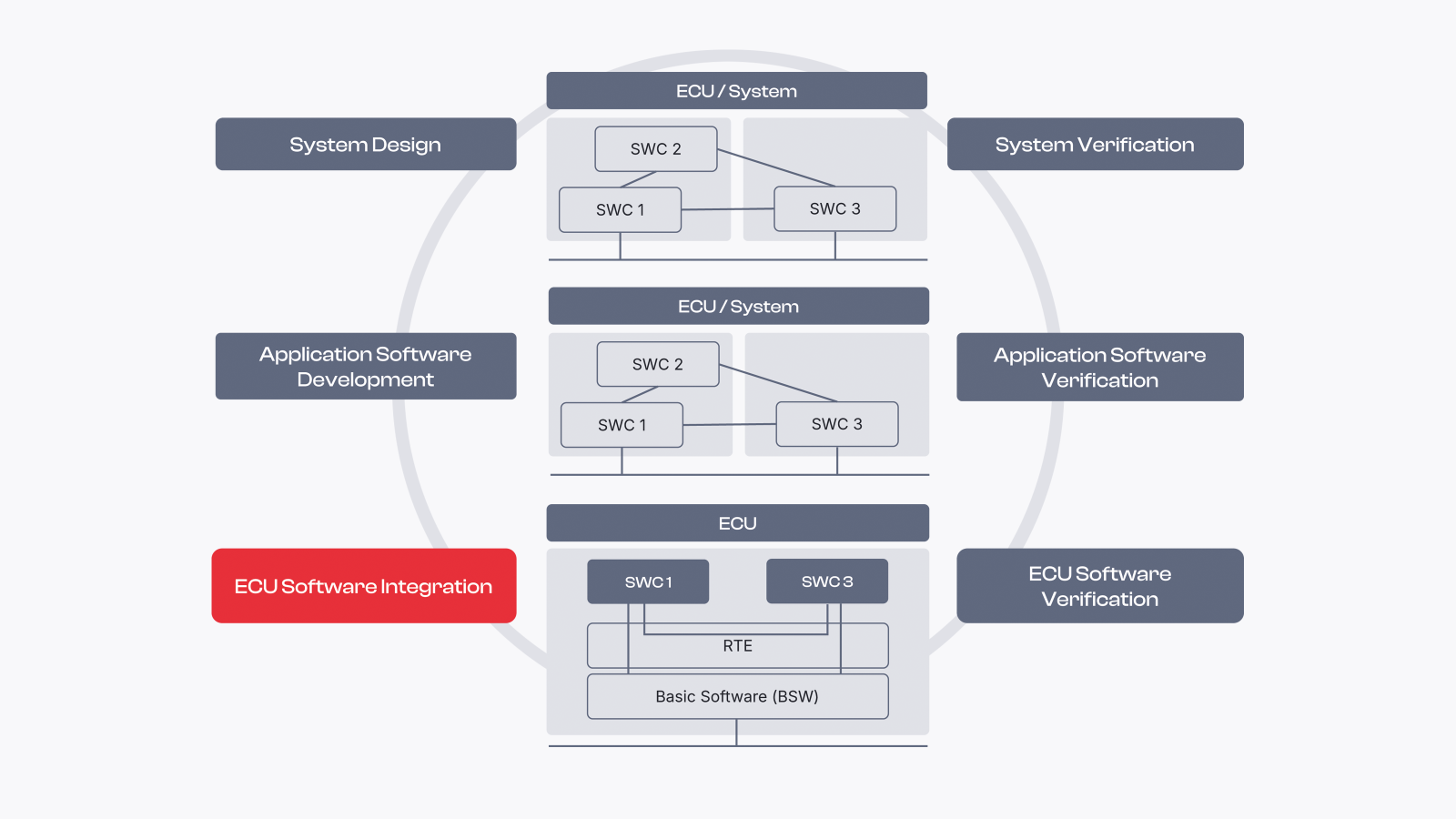
Key Functions And Use Cases
Stay in Sync with Project Partners
Derive BSW configurations automatically from OEM system and diagnostic descriptions, with full traceability.
Configuration in GUI or as-Code
Manage BSW and RTE configurations in graphical editors or as-code.
AI That Knows Your Project
Understand and configure your BSW and RTE configuration with the help of AI agents.
Integrated Validation
Detect and analyze configuration issues during development.
Embedded Source Code Generation
Generate the embedded source code reflecting your BSW and RTE configuration automatically and efficiently.
Module Development Kit
Define own BSW modules and implement own validation checks and code generators.
System Requirements
| Component | Recommended | Minimum |
| Processor1 | Hexa-Core | Dual-Core |
| Memory (RAM) | 16 GB, 32 GB for large projects | 8 GB |
| Screen Resolution | 1920 x 1080 | 1600 x 900 |
| Operating System | Windows 10, 11 (64 Bit), Linux | Windows 10 (64 Bit), Linux |
| Disc | SSD | HDD |
1 With up to 8 cores, a reduction in validation and generation times can be observed. DaVinci Configurator Classic benefits from higher clock rates.
Downloads
More Insights
MICROSAR Classic
DaVinci Developer Classic
Software Platform Services